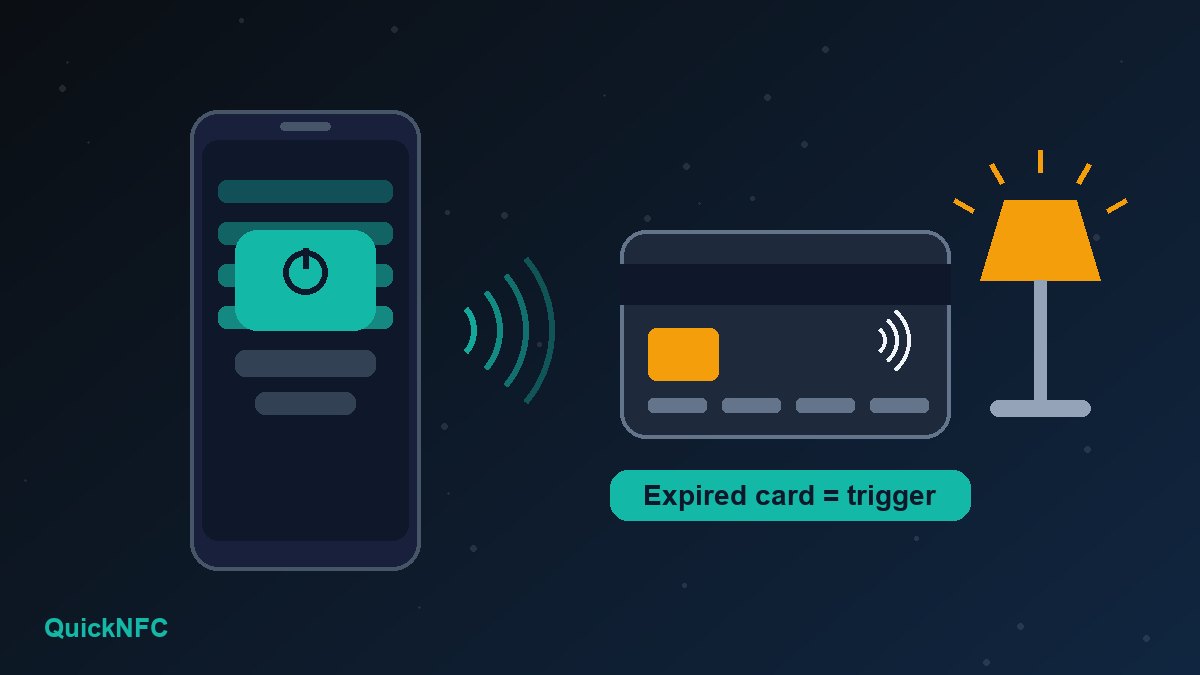
Short answer: Sometimes, on an iPhone. Two tech sites reported this month that an expired contactless credit card can act as a trigger for an NFC automation in the Shortcuts app, with no tag to buy. What it cannot do is hold data: the chip inside a payment card is built for secure payments, so you cannot write a link, a Wi-Fi login or a Home Assistant tag ID to it. Treat it as a free experiment, not a replacement for a proper NFC sticker.
Below: what the reports actually found, how to try it on an iPhone, the risks to think about before you leave an old bank card on your desk, and when a few-cent sticker is the better choice.
What the reports found
On 22 October 2026 How-To Geek published a hands-on piece about reusing expired credit cards as NFC triggers for a smart home, and MakeUseOf ran a similar test. Both used an iPhone and the Shortcuts app. The key results:
- The iPhone automation worked. How-To Geek set up a personal automation that ran a shortcut whenever the phone scanned the old card, then used it to switch a bedside lamp on and off through Home Assistant. MakeUseOf did the same to turn on a smart light.
- Home Assistant's own tag feature did not. How-To Geek says Home Assistant tags work by writing an ID to the tag, and the chip in a credit card has no writable storage for that. The Home Assistant Companion app would not even detect the card.
- The phone must be awake, not unlocked. According to How-To Geek, the scan works with the screen on and the phone still locked.
So the trick is narrow but real: the Shortcuts NFC trigger can recognise the card's chip when you tap it, and that is all an automation needs. If you want to read, write or share data through NFC, you still need a writable tag. Our guide to writing NFC tags without messing them up explains that side.
Why a payment card behaves this way
A contactless card and an NFC sticker use the same short-range radio technology, but they are built for different jobs. A sticker is basically a small memory chip that you can fill with a link or text. A payment card holds a secure chip that talks to a payment terminal and keeps its secrets locked down. That is why reading it to start a shortcut can work while writing to it does not.
One practical consequence, which is our own caution rather than something the tests measured: how reliably a trigger recognises a card depends on how that card's chip identifies itself, and that can differ between banks and card types. If an automation fires on the first tap but not the fifth, the card is not a good trigger. Test it a dozen times before you rely on it.
How to try it on an iPhone
Use a card that has already expired, or one your bank has cancelled and replaced. Then:
- Open the Shortcuts app and go to Automation.
- Tap + (or New Automation) and choose NFC as the trigger.
- Tap Scan, then hold the top edge of the iPhone against the card's contactless chip. Give it a name you will recognise, such as "Desk lamp card".
- Add the action you want: a smart home scene, a Focus mode, a text message, anything Shortcuts can do.
- Check the setting that asks whether to confirm before running. Leave it on while you test, and switch it to run immediately once you trust the card. Apple's documentation covers the options in its pages on adding automations and setting triggers.
- Tap the card against the phone several times in different spots to see how forgiving it is.
If you want the full walkthrough, including iOS 17 to iOS 27 differences and ideas for what to automate, see our guide to NFC tag automations on iPhone with Shortcuts.
What about Android?
The two reports cover iPhone only, and we have not verified credit-card triggers on Android. Android automation apps handle NFC in different ways, so results will vary by app and by card. If your phone does not react to a card at all, check the basics in our NFC not working on Android fixes first: NFC switched on, case removed, and the right spot on the back of the phone.
Safety checks before you reuse a bank card
These points are common-sense precautions, not claims from the reports:
- Only use a dead card. Never repurpose a card you still use or one tied to an active account. Check that your bank has closed or replaced it.
- Cover the number. An expired card still shows a name, card number and often the security code on the back. If it will sit on a desk, in a car or on a fridge, cover that side with an opaque sticker or tape.
- Keep it out of your wallet. A second contactless card next to a live one can confuse a terminal or transit gate. Store the trigger card somewhere else, or put it in a card sleeve.
- Do not use it for anything sensitive. A card tap is a convenience trigger, not a security check, so do not tie it to a door lock, a garage opener or a payment action. Lights, music and focus modes are fine.
- Dispose of it properly later. When you retire the trigger, cut through the chip and the magnetic stripe before you throw it away.
When a real NFC tag is better
A card is a good party trick, but a cheap NTAG sticker wins in most situations:
- It holds data. You can store a link, contact details or a Wi-Fi login, which a payment card cannot do.
- It works across apps. Home Assistant tags, Android automation apps and business-card links all expect a writable tag.
- It is small and safe to leave anywhere. A sticker on a nightstand or the back of a phone stand carries no card number and no payment chip.
- It costs very little. Our best NFC tags to buy guide shows what to look for, and common NFC mistakes lists the errors that waste the most tags.
For ideas on where tags really earn their keep, browse the best NFC tag uses at home.
FAQ
Can I write a link or text to an old credit card?
No. According to How-To Geek, a payment card's chip has no writable storage for tag data, and even the Home Assistant Companion app could not detect it for writing. Use a standard NFC sticker for anything that needs stored data.
Will tapping the old card at a shop still pay?
An expired or cancelled card should be declined, but there is no reason to test that. Keep it away from payment terminals and from your live cards.
Does the iPhone need to be unlocked?
How-To Geek reports that the phone needs to be awake but not unlocked for the automation to scan the card. Behaviour can vary with iOS version and automation settings, so test yours.
Is it safe to leave an old card on my desk?
It is safer if the card is dead and the printed number is covered. If anyone else uses the space, a plain sticker tag is a cleaner choice.
Sources

QuickNFC Editorial DeskQuickNFC publishes practical, plain-English NFC guides. Spotted an error or something out of date? Tell us.